
I thought it would be cool to show you what some of the hottest artists out there are doing with Adobe Illustrator.
Here's my list
1.Philip J. Neal
www.pneal.com
2. Todd Feris
www.warking.com
3. Brooke Nunez
www.lifeinvector.com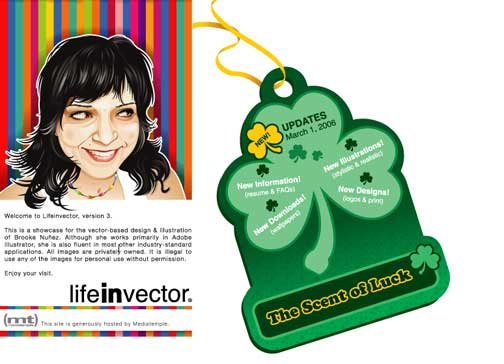
4. Mark Anderson
www.bigwhiskeyart.com

Xlimit is an art appreciation by young graphic artists in Malaysia
through the internet. There are lots of interesting artworks which
include vector art, photography, graphic design, image manipulation
and many more.
To view --> http://xlimit.sifoo.com
To download --> http://xlimit.sifoo.com/pdf/xlimit_vol00.pdf
right click and save as
The content of this pdf magazine is in Malay. Sorry for the
inconvenience.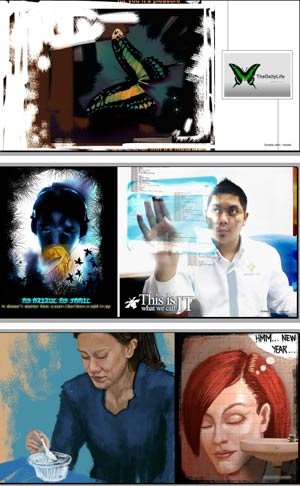
Below is my artwork that was chosen to appear on this magazine.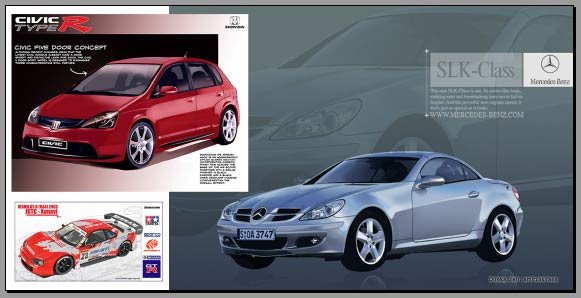
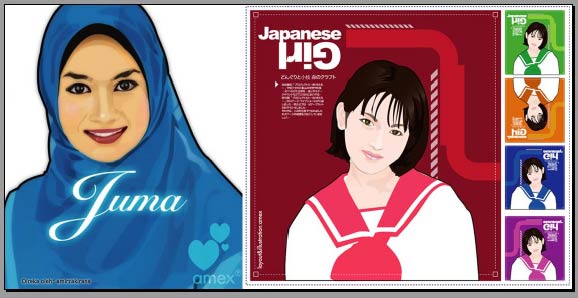
enjoy :-)
Backward Compatibility in Adobe InDesign CS2 allows InDesign CS users to open Adobe InDesign CS2 documents by first exporting them to the InDesign Interchange (INX) format. To open INX files from InDesign CS , you also need to first install an update for InDesign CS called Adobe InDesign CS 3.0.1 April 2005 (CS2 Compatibility Update). To determine if you have the update installed, see document 331403 , "Determine if you have installed InDesign or InCopy CS 3.0.1 April 2005 update."
Content that you create using functionality that is specific to InDesign CS2 might be modified or omitted when you open the file in InDesign CS. For example, footnotes and object styles (new features in InDesign CS2) drop out. However, the INX file preserves attributes applied to page objects using the Object Style palette attributes when possible.
To export an InDesign Interchange file from InDesign CS2:
1. Open or create a file in InDesign CS2.
2. Choose File > Export.
3. In the Export dialog box, select InDesign Interchange from the File Type menu (Windows) or Formats menu (Mac OS).
4. Click Save.
source: Adobe.com
For all of its life, Illustrator has always used Botticelli's Venus as its symbol. Then in the CS and CS2 versions, she went away, replaced by flowers. If you miss the old look, you can get a glimpse of the past by holding down the Option key ( PC: Alt key ) and choosing About Illustrator. In OSX on the Mac, it's under the illustrator menu, in Windows XP, it's under the Help menu.

Source fom: Illustrator CS2 Killer tips
Dave Cross/Matt Kloskowski
Step 1
Draw the shape you want in your pattern.Here's mine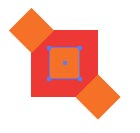

Step 2
Select all the pieces and drag them into the swatches palette.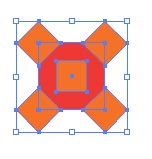
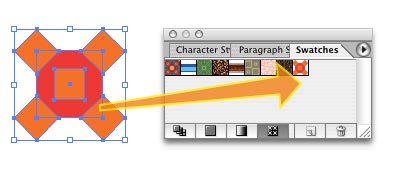
Step 3
Now you can use the pattern swatch to fill any object.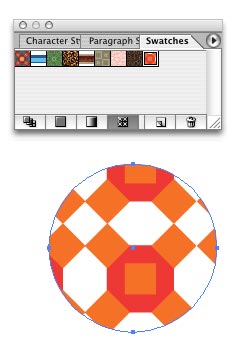
Here's a quick way to create banner using 3d effects in Illustrator
Step 1
Draw a path as shown below. Set the fill for this path to None and change the stroke colour to whatever color you like.
Step 2
Choose Effects> 3D>Extrude&Bevel. Use this setting
Be sure to check the preview button so that you can see the changes.
Click for larger image
Step 3.
here's the result
Simple isn't it. That's all for now. :-).
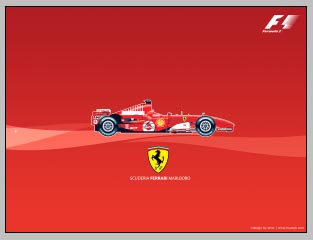
design 1 - Scuderia Ferrari Malboro 1024 x 768
design 2 - Scuderia Ferrari Malboro 1024 x 768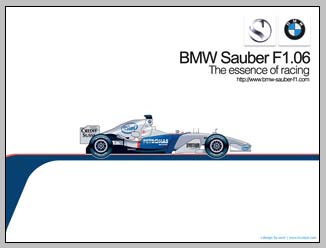
design 3 - BMW - Sauber F1 Team 1024 x 768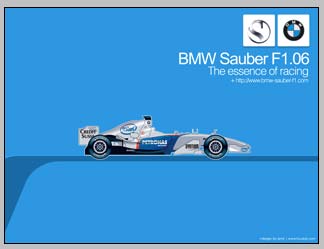
design 4 - BMW - Sauber F1 Team 1024 x 768
design 5 - Renault F1 Team 1024 x 768
PC: To apply a wallpaper to your desktop, simply click on the link... when the wallpaper window opens, right click on the wallpaper - and select ' Set as Background'
Mac User: Click on the link. Then save the image to your hard disk and use the control panel to set the picture as your wallpaper.
i'll update another design later..:-)
IMPORTANT NOTE: huzeyk blog recognizes that all registered names, logos and various terms used on the wallpapers are registered trademarks of their respective owners. These terms and images are used for identification and artistic purposes only.


